Your record.
On your phone too.
Make your own computer the server, and Claude on your phone can read your sundhed.dk record while the computer is on. It takes about five minutes.
Free and open source · Your computer is the server · Not affiliated with sundhed.dk
Before you start
Install three programs.
On a Mac, Windows or Linux computer. Log in to Tailscale once it is installed.
Setup
Three steps.
Start SundhedMCP with one command. The guide on your computer does the rest and ticks off each step.
Start SundhedMCP
Open Terminal, paste the command and press Enter. The guide opens in your browser.
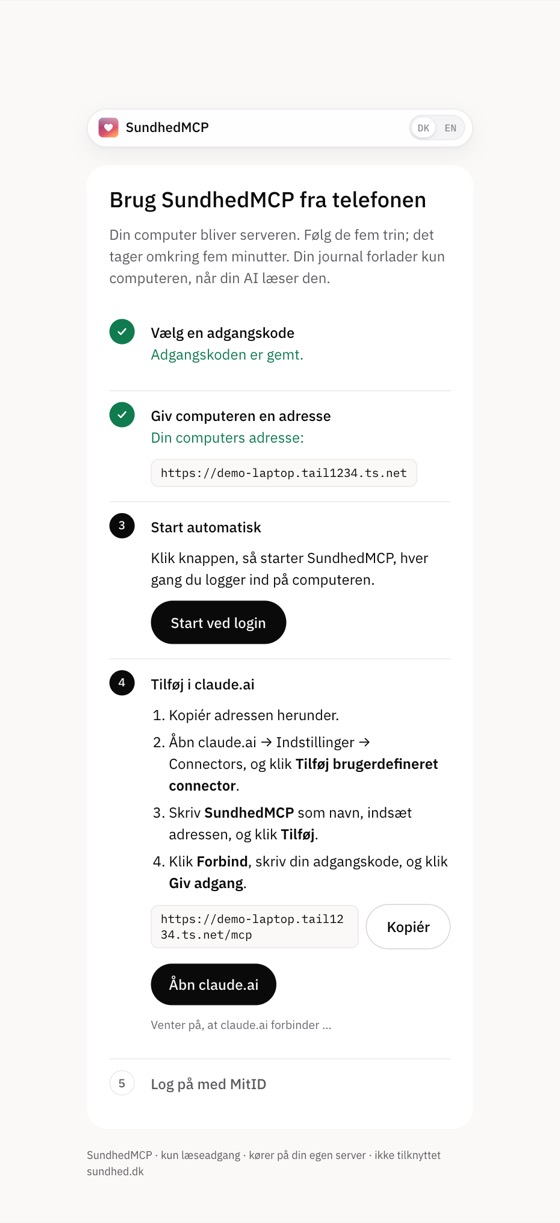
Follow the guide
Choose a password, click “Open to claude.ai”, add the connector and log in with MitID.
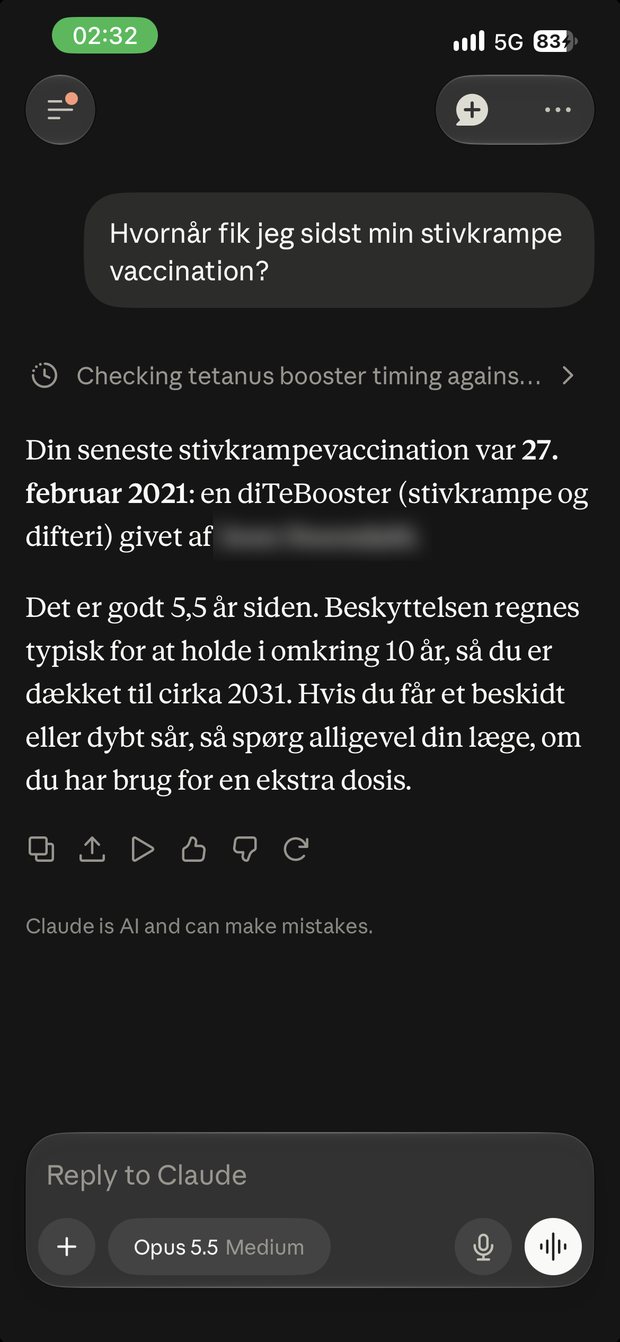
Ask from your phone
Open the Claude app and ask about your medicine, test results or vaccinations.
Run the command, then follow the guide.
npx -y sundhedmcp serve- Open Terminal. Mac: press ⌘ + Space and type Terminal. Windows: open PowerShell.
- Paste the command and press Enter. The guide opens at
localhost:8787/guide. - Choose a password of at least 12 characters. Keep it in your password manager.
- Click “Open to claude.ai”, then “Start at login”.
- Add it in claude.ai: Settings → Connectors → Add custom connector. Paste the address from the guide, click Connect and enter your password.
- Log in with MitID on the computer and approve in the MitID app. Do not log in from your phone: MitID shows a QR code that must be scanned with the app.
Already use SundhedMCP in Claude Desktop or Claude Code? Type this instead: Set up SundhedMCP for my phone
Privacy
Your computer. Your record.
SundhedMCP runs nothing on a server of its own.
Your computer is the server.
The browser, the MitID session and the copy of your record stay on your computer, in ~/.sundhedmcp. When the computer is off, SundhedMCP does not answer.
Your AI provider sees it.
What Claude reads from the record goes to Anthropic on their terms. Only ask about what you want to share.
Locked with your password.
The address is public, but the connector needs your password, and the guide only answers on your own computer.
Ready? Run one command.
npx -y sundhedmcp serve